A lot of people been asking me which basic security to protect their pc/ netbook/ notebook from viruses. For Windows XP, I will recommend Avast. If you are using Windows Vista/ 7, Microsoft Security Essentials works best. Microsoft Security Essentials is available for Windows XP but I will not recommend it because you need to retart your Windows after each scan conducted. As you know, to restart Windows XP takes longer time that Windows 7. But if using Windows 7, the Microsoft Security Essentials doesn't run that way.
Besides having anti-virus, your pc need to equip with anti-malware to protect from spyware, malware and etc where you will have an identity theft as well. Highly recommended is malwarebytes for anti-malware.
Certain computers are not provided with original Windows. Some shops will introduce non genuine Windows as to fulfill their customers budget. I will only recommend original Windows for easy repair and fixing. To add on to computers sellers income, they will come up with lots of anti-virus product. Only a handy of honest and computer shops will introduced free anti-virus. Choose the free anti-virus product. From time to time, there might be changes in using the best anti-virus in different type of operating system. I had been using free products for quite sometime and I had no problem yet. Anything downloaded from the web or thumb drive, please scan with anti-virus and anti-malware. Update it regularly.
Sunday, January 17, 2010
UPGRADE TO STREAMYX COMBO WIFI NOW!
Bought a new Acer Aspire 4736G notebook loaded with Windows 7 Home Premium early this year.
Wanted to buy a Lenovo but it seems like Lenovo came up with Windows Vista upgraded to Windows 7. I heard a lot of people complaining during upgrading Windows Vista to Windows 7. Most of them had no problem making a clean installation to Windows 7 but not upgrading. Because Lenovo not competitive enough in pricing and specification, so I end up with Acer, cheap and better specifications.
Today's blog is not about notebook, who is better or etc. It is more on streamyx. I had been using streamyx for more than 4 years. I started using it since 2001 till 2003(while studying) and later in 2007 until now (working). What happened between year 2004-2006(menopause or mid-life crisis?)? Well I am working in east of Peninsular of Malaysia. It is quite remote and I depend only on cyber cafe(you will not like a remote cyber cafe). Dirty and snail internet connection. So I gave up on internet and concentrate more on work. I do miss internet so much that I lost touch on how to surf the net and started all over again in year 2007. Get into blogging in 2008 until now I found this is the platform to share information with you.
Towards the end of 2007, I had subscribed Streamyx 1.0Mps package for RM 77 for 2 years in additional payment of RM 26 for telephone rental. After the 2 years contract I had to pay for RM 88 plus RM 26. The monthly sum of payment to TM = RM 114. No reminder from TM to customers that their contract is about to end. So I end up paying more than I expected. If TM wanted to retain their existing customers, TM should come up with special deals and not only for new unsubscribe customers out there. So I look over 'Super Upgrade Deals for Combo or Standard Packages' and 'Combo Package'. All I want is to retain my existing package by paying less(I feel that Malaysians can get better deals and package for this not up to par internet connections) . I cannot get Super Duper Deals from 'Super Upgrade Deals' so I have to give it a try with 'Combo Package'.
With my existing contract RM 88(with modem),
I had changed to Combo package plus Free WiFi modem without any extra charges and I only had to pay for RM 110 monthly compare to RM 114.
With a few clicks, WiFi modem are ready to be used.
This modem's installation kit is compatible only on Windows XP and not Windows 7. Steps for installation :
Wireless network name(SSID): The network name you like to appear publicly
Enable Security
Network Key(WEP): Choose 13 digits that you can remember and saved it in other places just in case you forget and wanted to set up another wireless connection on other pc.
Hope you grab this opportunity to get a free WiFi modem if you haven't got any wireless all-in-one modem.
WINDOWS 7 UPGRADE
Do you intend to upgrade from Windows Vista to Windows 7? If I were you, I won't buy a new pc now and upgrade to Windows 7. Just buy a clean installed Windows 7 for safe sake. If you still insist on buying a pc installed with Windows Vista and later upgrade to Windows 7, I wish you the best of luck. For older pc waiting to upgrade from Windows Vista or XP, test your current computer with Windows 7 Upgrade Advisor http://www.microsoft.com/windows/windows-7/get/system-requirements.aspx
Tuesday, December 01, 2009
COMPUTER UPGRADE@CUBEBOX ENTERPRISE
Upgraded my Acer Travelmate 6292 from 1G Ram to 2G Ram. This will speed up my Windows Vista a bit. If you want to get bargain and good service, come to CUBEBOX Computer Shop(near SMK Convent, Taiping. Next to CIMB Bank). Beware of other dishonest computer shops in Taiping.
Sunday, September 27, 2009
TO RESTORE 'RECYCLE BIN' ON DESKTOP IN WINDOWS VISTA Having difficulties to restore 'recycle bin' coz accidentally delete recycle bin and not empty recycle bin. Don't worry. There's always a solution. Follow the steps below: Step 1: Right click and click 'Personalize'.Step 2: Click 'Change Desktop Icon' on top left of the personalization screen.Step 3: The Desktop Icon Settings screen will pop out. Click to tick the box of 'Recycle Bin'.Step 4: Click to the button, 'Restore Default' and click 'ok'.
Saturday, June 13, 2009
WINDOWS VISTA SERVICE PACK 2
To install Service Pack 2 follow these steps below:
1. Go to Control Panel
2. Click Windows Update
3. Click Check for Updates
4. Follow all the procedures required before installing Service Pack 2
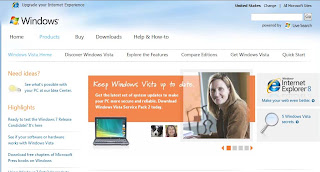
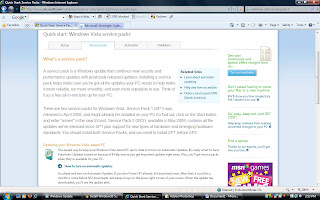
or refer to the screen shots below.You can also look at the website below to see clearer picture on steps to install Service Pack 2:
www.microsoft.com/windows/windows-vista/default.aspx
www.microsoft.com/windows/windows-vista/quick-start/service-packs.aspxTo download Service Pack 2:
www.microsoft.com/downloads/details.aspx?FamilyID=a4dd31d5-f907-4406-9012-a5c3199ea2b3&displaylang=en


 Step 2: Click 'Change Desktop Icon' on top left of the personalization screen.
 Step 3: The Desktop Icon Settings screen will pop out. Click to tick the box of 'Recycle Bin'.
 Step 4: Click to the button, 'Restore Default' and click 'ok'.


 You can also look at the website below to see clearer picture on steps to install Service Pack 2:
 To download Service Pack 2:

