
Showing posts with label Computer. Show all posts
Showing posts with label Computer. Show all posts
Friday, January 31, 2025


Saturday, December 28, 2024
Friday, December 27, 2024
Wednesday, May 29, 2024
Saturday, November 27, 2021


Saturday, May 22, 2021
Saturday, February 06, 2021


Thursday, December 19, 2019

Monday, November 18, 2019
How to adjust screen brightness for PC desktop in Windows 10 If it is not available in notifications
 |
| Right click on desktop and select Intel Graphic Settings, then select Colour Settings |
Wednesday, May 08, 2019

Sunday, April 21, 2019




Friday, April 19, 2019
Play Video in a Tablet in selected Folders
 |
| Step 1: Plug in tablet to computer. Click USB Storage |
 |
| Step 2: Click DCIM |
 |
| Step 3: Click Camera |
 |
| Step 4: Create names of the folder you want |
 |
| Step 5: Click one of the folders and name the videos added with No 1 to ... |
 |
| Step 6: Follow the red arrow to click it |
 |
| Step 7: Follow the red arrow to click Gallery |
 |
| Step 8: Follow the red arrow to click one of the folder |
 |
| Step 9: Click any videos you want to play |
Wednesday, March 13, 2019

Sunday, February 03, 2019
Huawei Fitness Band
Best to avoid buying online to avoid hassle and warranty purposes
 |
Step 2: Change iphone settings in English US + Region US: https://www.youtube.com/watch?spm=a2o4k.pdp.3838113200.3.570a2ae4MAoNpx&v=E-LLd8Uqt_Y
Step 3: Pair and update firmware
|
 |
| All contents in Chinese Language. |
 |
| Received package between 3-5 working days |
 |
| waiting period 3-5 working days |
 |
| waiting period 3-5 working days |
 |
| Step 1: Order thru lazada.com.my. Register first. |
Wednesday, January 02, 2019
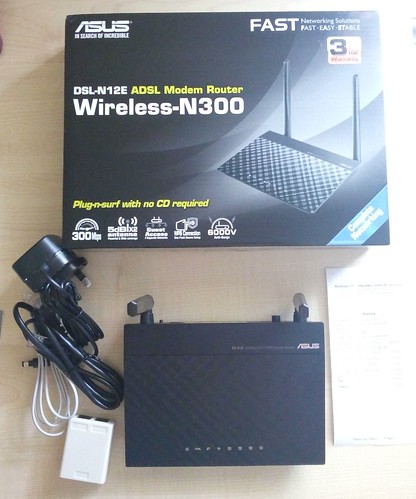
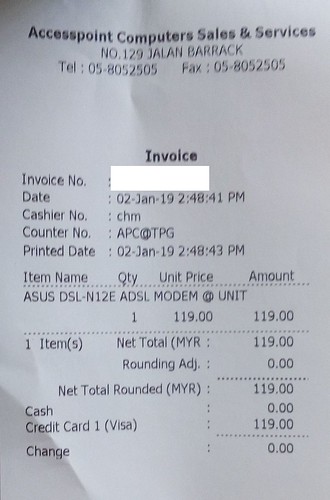
Set Up ASUS Wireless Modem Router
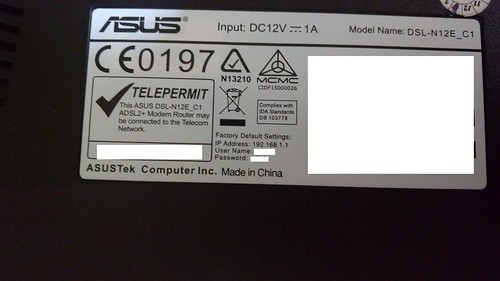 |
Check Factory default settings behind modem for IP Address, User Name and Password.
Step 1: Connect Internet Access to ASUS from your Computer. An Internet Browser will pop up, key in the given IP Address, User Name and Password.
|
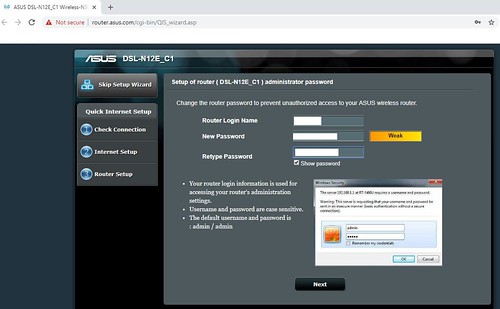 |
| In Check Connection, Step 2: Type User Name and Password. You can use the same User Name for network name(SSID) and Password for network key. Click Next. |
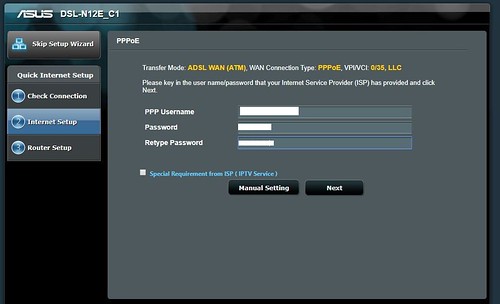 |
| In Internet Set Up, Step 3: Key in PPP Username(Streamyx ID) and Password(Streamyx Password) from your internet provider (e.g. Streamyx provider). Click Next |
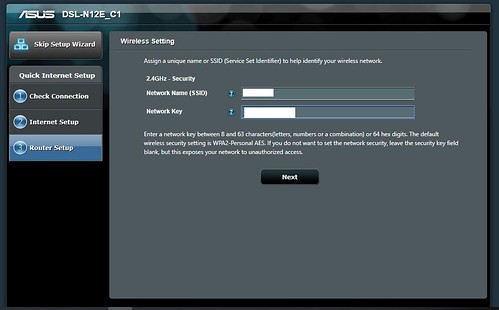 |
| In Router Set Up, Step 4: Key in same User Name for network name(SSID) and Password for network key earlier in Step 2. Click Next. Now connect your Internet Access to the network name(SSID) that you had just keyed in from your Computer |

Wednesday, December 19, 2018

Thursday, November 08, 2018
Saturday, October 06, 2018

Wednesday, August 29, 2018


Subscribe to:
Posts (Atom)